
From a page builder and four Google Forms to a platform the center owns
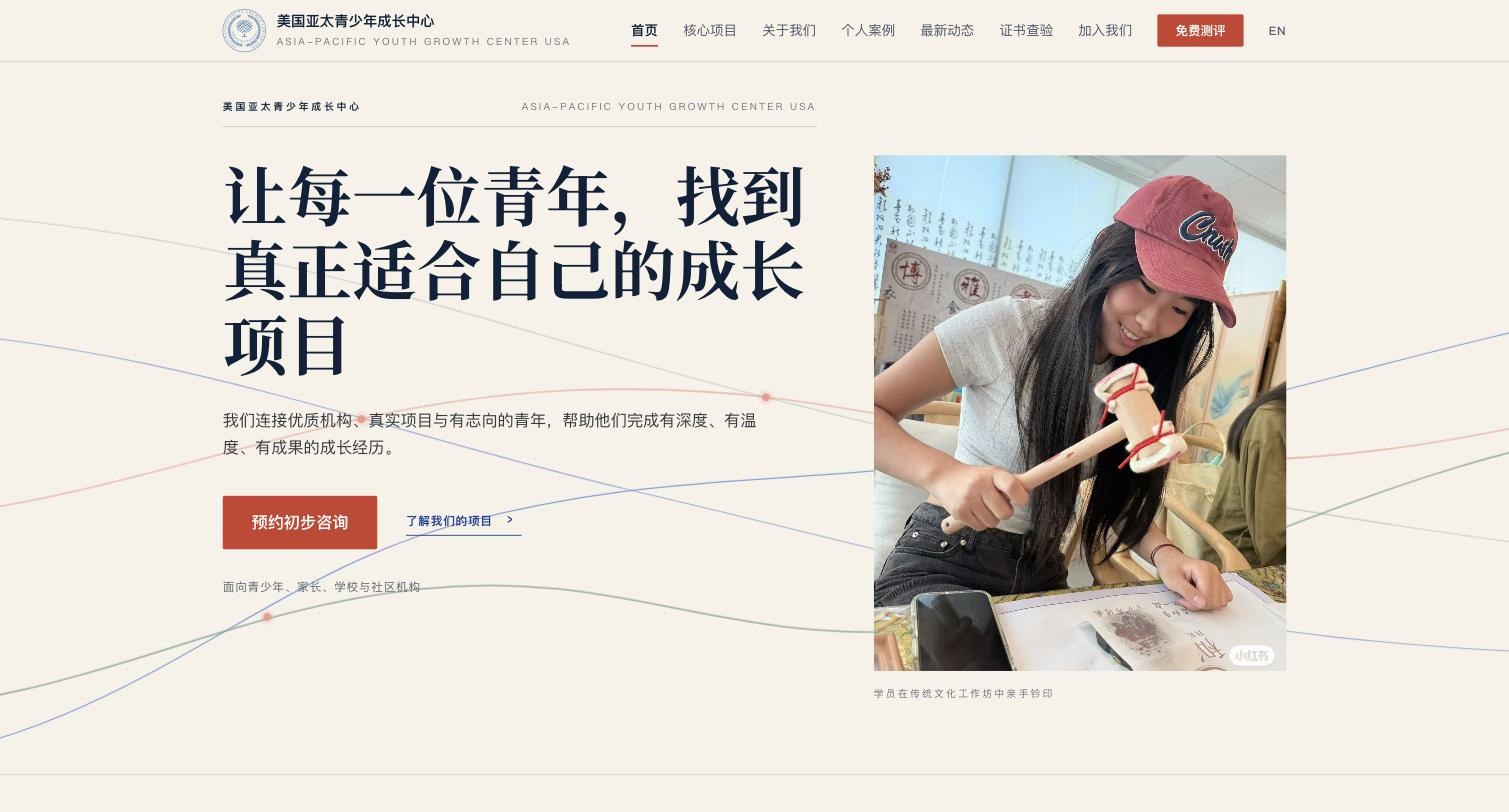
The Asia-Pacific Youth Growth Center USA runs youth programs on two coasts and publishes mostly through WeChat. In five weeks it went from a one-page site on Gamma and hand-answered forms to a bilingual assessment funnel, an editorial website, a unified intake, verifiable certificates, and a back office where staff edit the live site with AI at their side.
The engagement
| Client | 美国亚太青少年成长中心, the Asia-Pacific Youth Growth Center USA: a nonprofit and the UNESCO-backed APYGP operating institution in the United States |
|---|---|
| Live site | theapyouth.com |
| Timeline | Kickoff on July 6, 2026. The center’s own domain went live on August 24, 2026. |
| Delivered | Two Next.js apps, a Firestore data layer, an admin back office, two AI writing tools and a design system |
| Role | Counsellor, architect, designer and builder, forward-deployed with the center’s director |
Everything worked. Nothing connected.
The center was not short on activity. It ran camps, clubs, a youth-ambassador program at the Nixon Library, and study tours to Kenya and Geneva, and it wrote about all of it in long WeChat articles. What it lacked was a system: every reader who wanted to sign up left the article for a Google Form, every form landed in a different spreadsheet, and the public website was a single page built in Gamma, an AI site builder, that nobody on staff could take further.
| Before | After | |
|---|---|---|
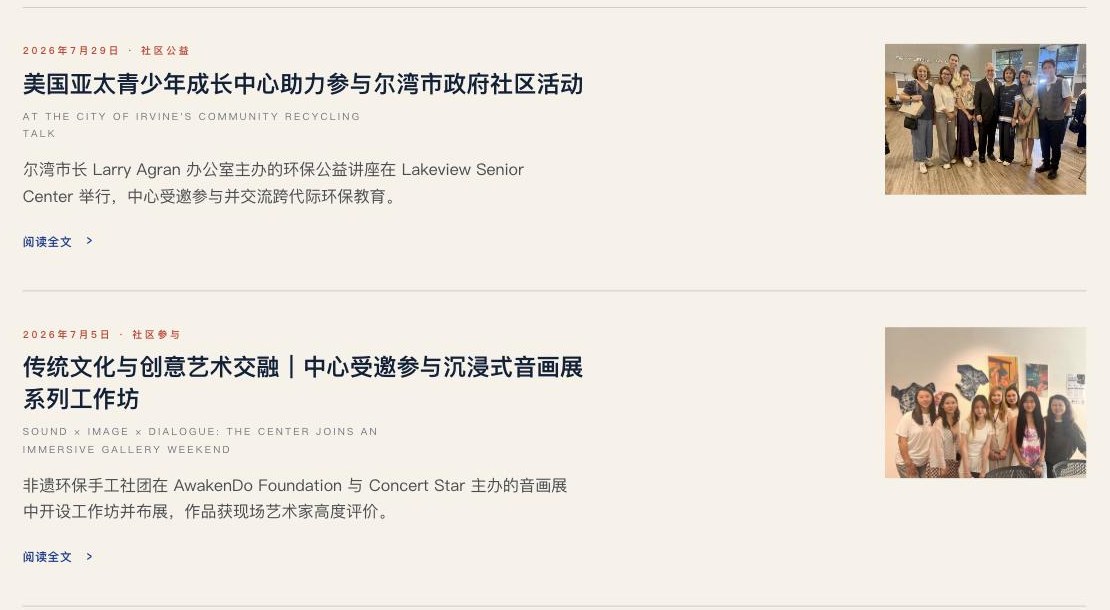
| Website | A one-page Gamma site on theapyouth.com. Chinese only, no program pages, no way to apply. | A bilingual site with program pages, program reports, student portfolios, news, certificate verification and role-based application forms. Twenty-one long-form pieces from the center’s own archive, published as first-class pages instead of WeChat links. |
| Forms | Four Google Forms plus a contact form and an interest form. Replies by hand, records in six places. | One typed intake with validation, writing straight to the center’s database. Staff export applications and contacts as CSV from a password-protected dashboard, and a return visit pre-fills the form for a known reader. |
| Readers | WeChat readers were anonymous. A popular article produced views, not names. | A free, three-minute bilingual career-interest assessment turns readers into named leads with a parent’s phone or WeChat. Every outbound link is wrapped, so clicks, assessments and applications from the same visitor join up in one record. |
Thinking first, then a working system every week
The client is deliberately non-technical, so the working model was built around one rule: every conversation ends with something the director can open on a phone. Strategy came first, in a written proposal. Code followed, in an order chosen to make the platform tangible early: the growth entry point shipped in week one, the website grew in stages behind it, and the back office arrived once there was real content to manage.
-
Proposal before code
In week one, from July 6, a digital-platform proposal set the platform choice, the growth flywheel, “assessment first”, and a four-stage website roadmap. The director could see the whole shape before any of it existed.
-
Ship the funnel first
Also in week one, the bilingual assessment app went live on Cloud Run within days: twelve questions, five persona types, a teaser reveal before the contact step, and a shareable report card. The center had a lead engine before it had a website.
-
Website in stages
In weeks two to four, home, programs, about, join and contact went up as a working site on a test domain, then intake, certificates and news were layered in. Each stage was reviewed live, not in mockups.
-
Content and design pass
In week five, on August 9 and 10, twenty-two folders of source documents were extracted and modelled into typed article blocks, the design language was rebuilt to editorial standard, and the admin composer and in-place editing landed.
-
Cutover to the center’s domain
On August 24: a static IP, a new server block, TLS, and a permanent redirect from the test host so printed QR codes keep working. The old Gamma page was retired the same afternoon.
The project in numbers
The ledger records 112 engineering hours in 61 itemised lines, and 14 build-days ran from kickoff to feature-complete. The platform is two applications, the assessment funnel and the website, with 10 Firestore collections behind one admin and 42 article pages across two bilingual route trees. Its 169 photos were curated from 307 originals.
Forward-deployed, not outsourced
One senior engineer embedded with the director from the first proposal to the domain cutover. There was no hand-off between the people who understood the problem and the people who built it.
AI as a pair, a human accountable
Every feature was designed, built and reviewed with AI pair-programming, which is what made a five-week schedule possible. The hours on the ledger are stated as what a senior engineer would take without that help, so the client pays for outcomes rather than for the tooling.
An itemised ledger instead of an invoice
Sixty-one lines, each naming the pages, components and behaviours delivered. The same ledger doubles as the project’s task history and as the retrospective statement of work.
The client’s archive became the content model
Instead of writing marketing copy, the work extracted 1.2 GB of the center’s own reports and photos, corrected them, and modelled them into eleven typed content blocks. The site speaks in the center’s voice because it is the center’s material.
Ownership by default
Domain, Google Cloud project, database, source code and API keys all belong to the center. Nothing is licensed back.
The public website
The platform has five public surfaces and a back office behind the login. The first is the website.
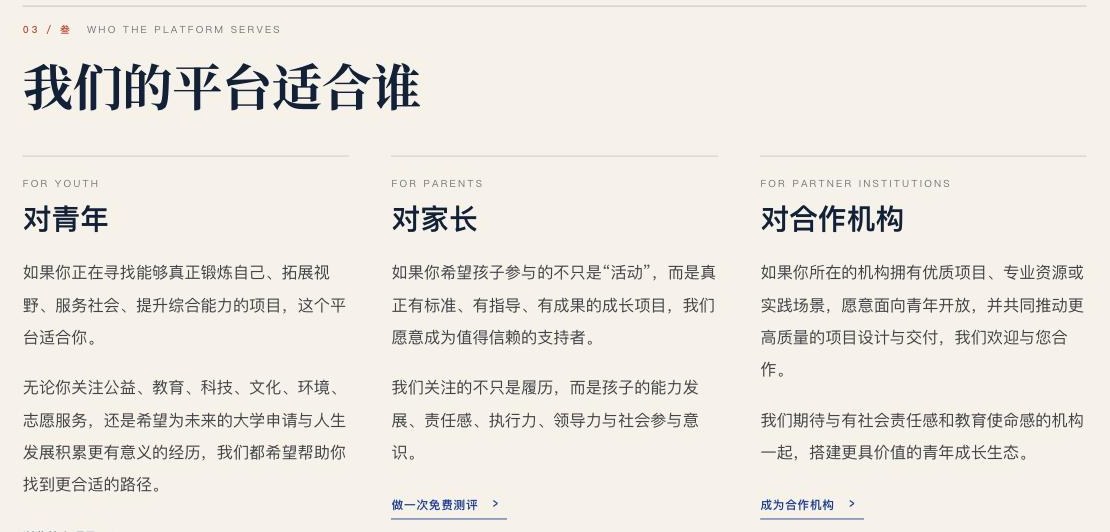
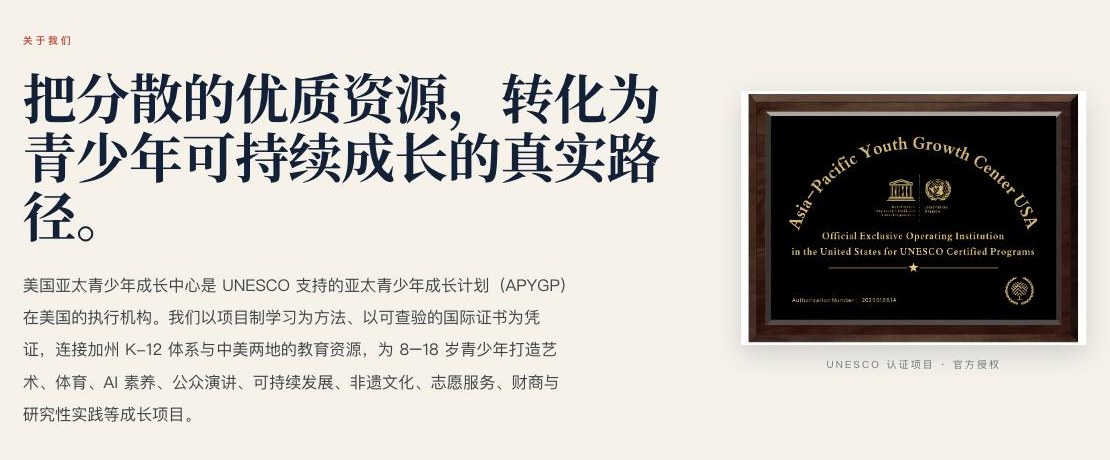
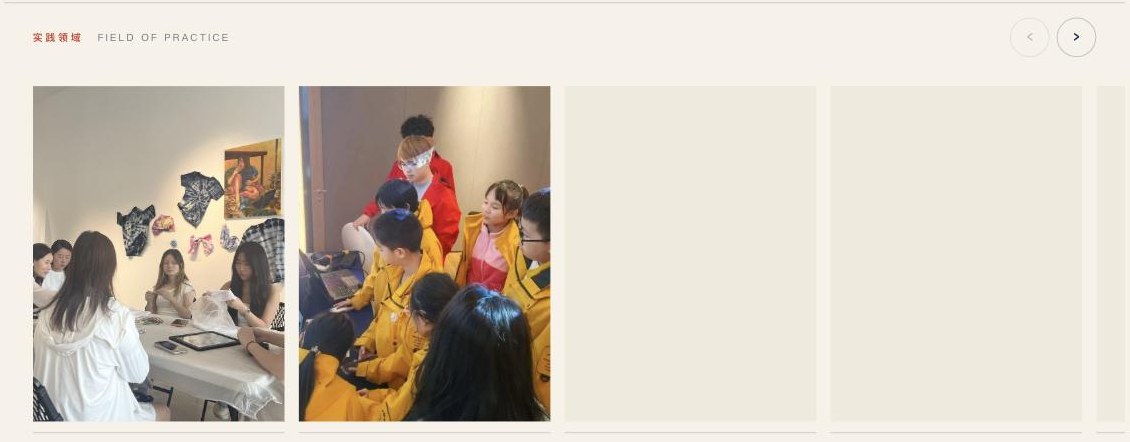
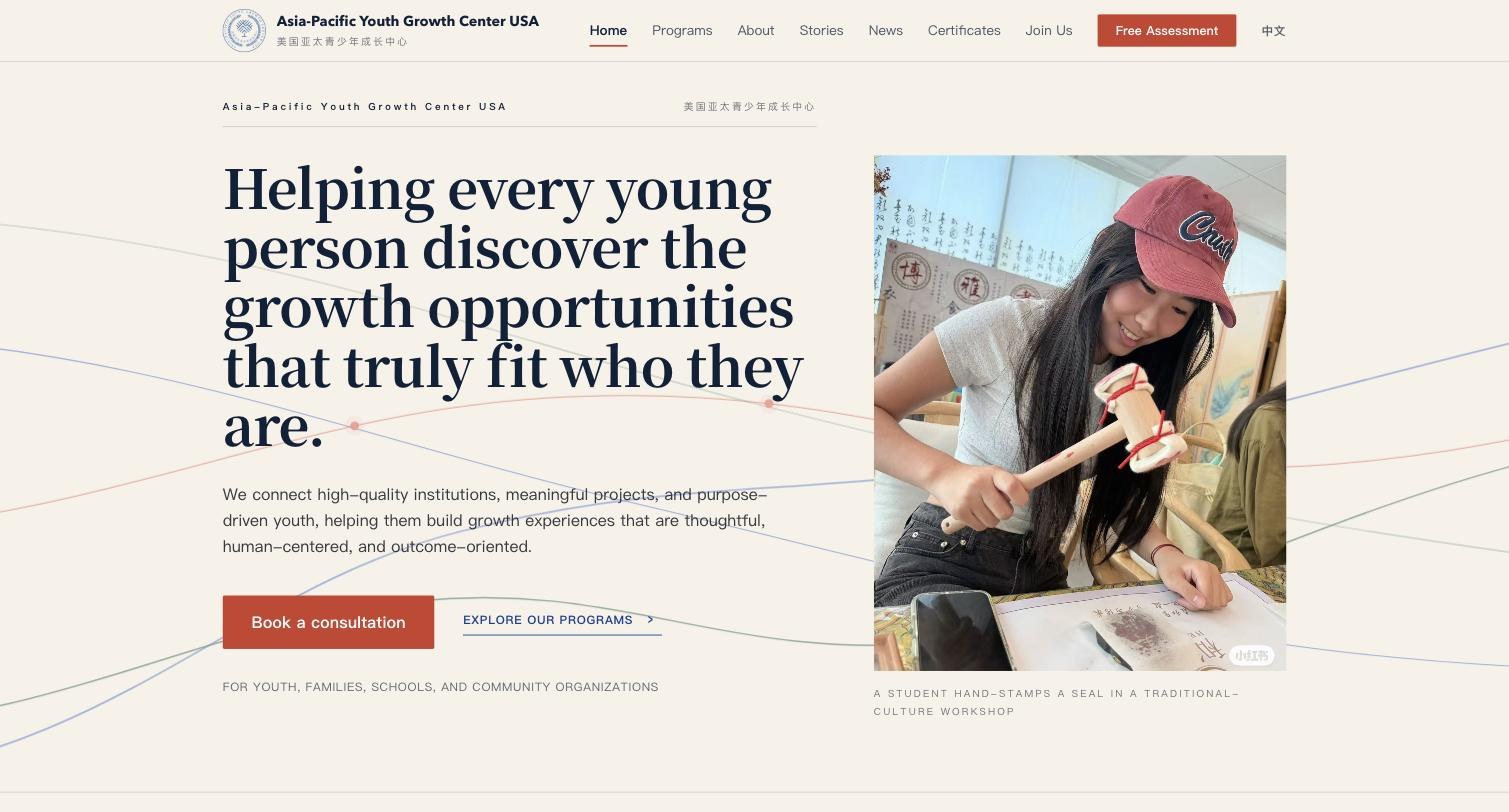
A bilingual Next.js site with language negotiation, a locale-aware route tree, a sitemap, and share metadata tuned for WeChat’s crawler. The homepage is built as a sequence of numbered editorial sections: mission, who we are, what we do, a data band, fields of practice, who the platform serves, an assessment call to action, how to start, and growth in practice.
Every section is server-rendered and reveals on scroll through a single sweep, so no-JS and crawler renders are never blank.






Programs and program reports
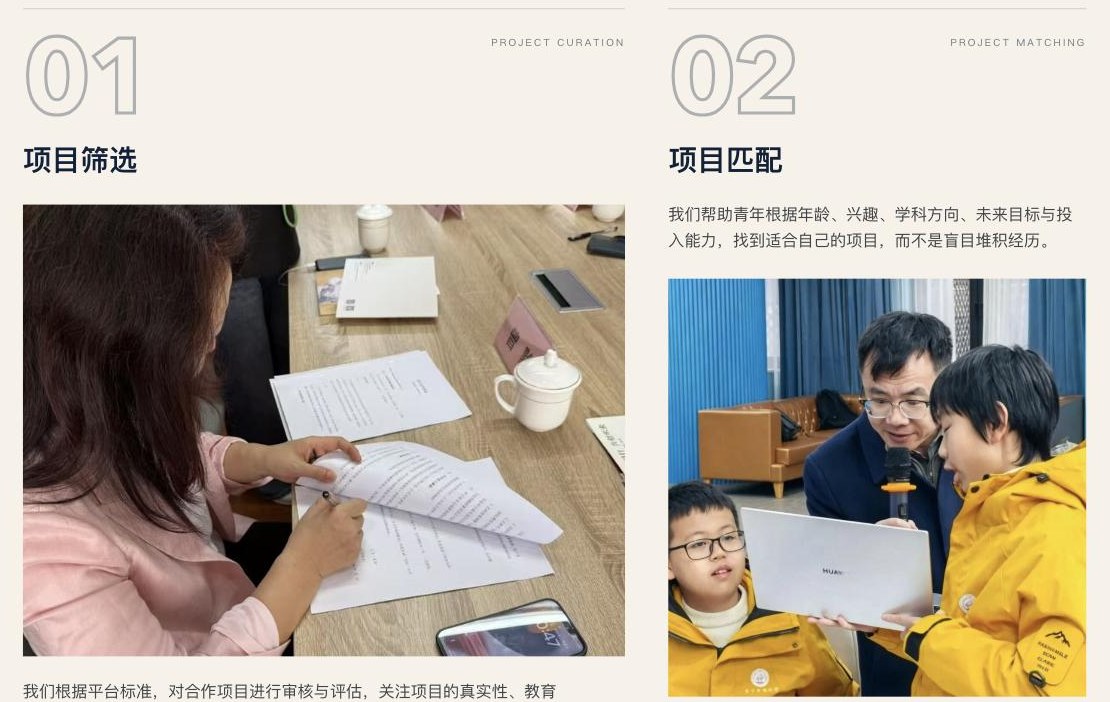
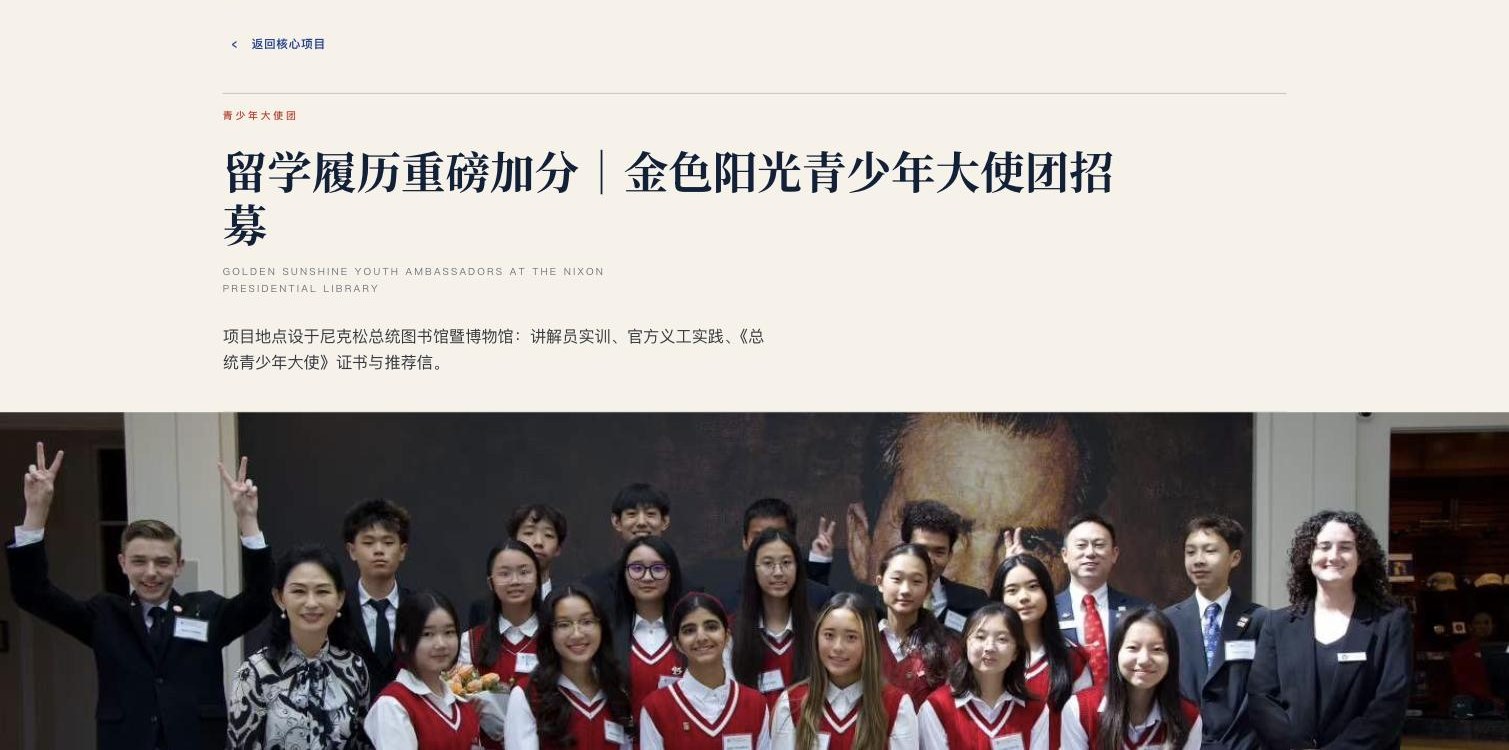
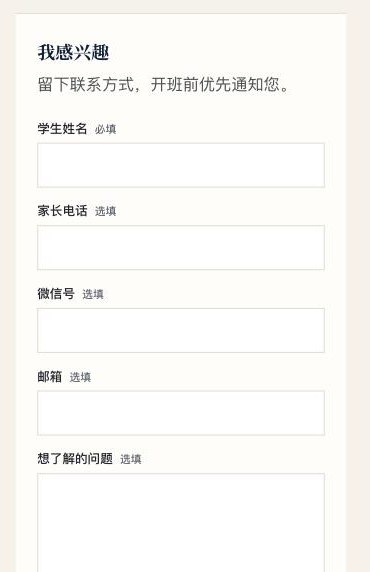
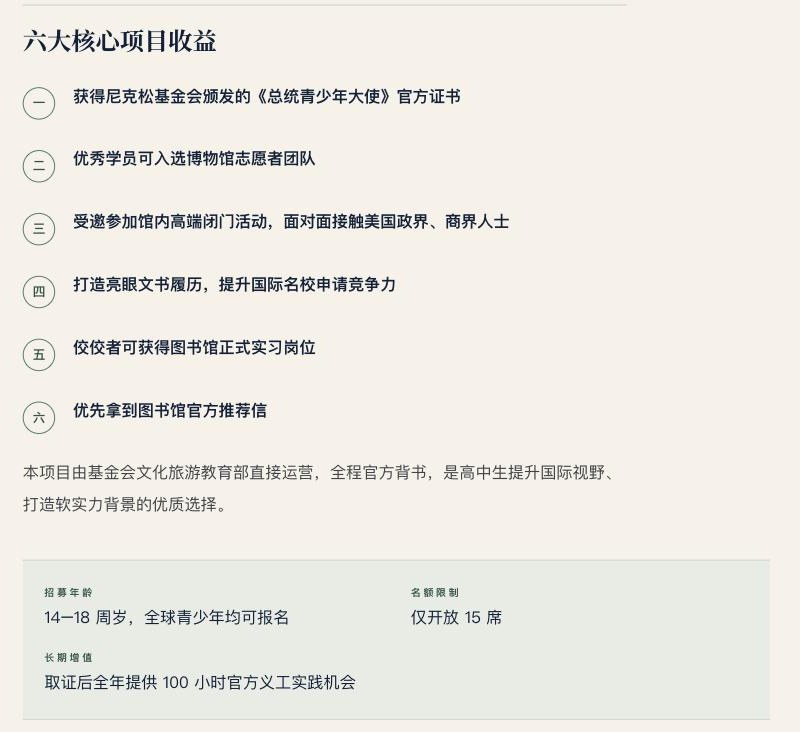
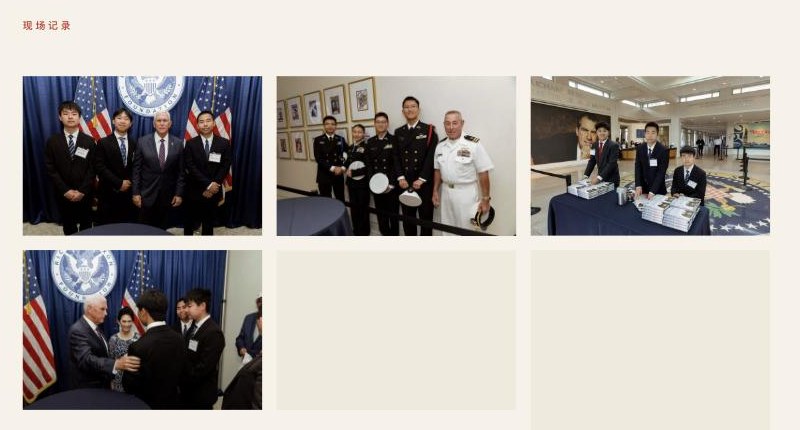
Each program has a detail page with age range, schedule, a certificate note, and an interest form in the sidebar that writes to the database. Beneath the four core programs sits a library of eighteen program reports: the center’s own long-form accounts of study tours, ambassador cohorts and workshops, extracted from its document archive and rebuilt as typed article blocks with covers, numbered lists, fact panels, placed figures and a closing contact sheet.
Bilingualism here is editorial apparatus, not duplication. Titles, standfirsts and kickers are in both languages, while the long Chinese bodies stay Chinese, with a plain note on the English edition saying so.


Student portfolios
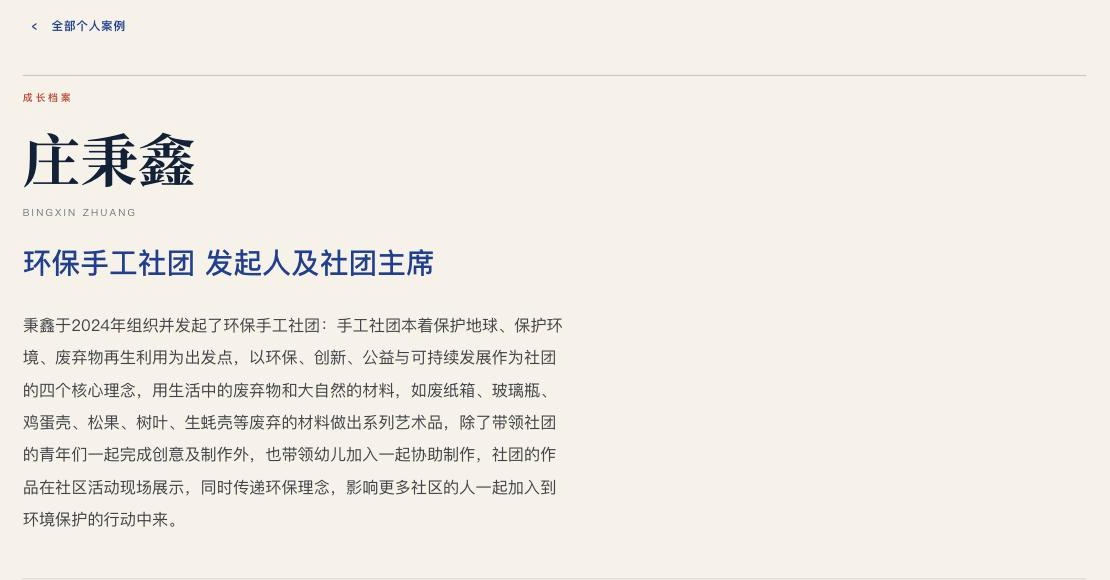
A per-student page the center can hand to a school or a funder: a growth timeline with dated entries, a role for each entry, a per-step contact sheet, skill tags, the center’s endorsement, and a direct link to the student’s certificate. Pages are fully bilingual, managed through a draft-publish lifecycle, and can be composed from raw notes by the AI story composer in the admin.
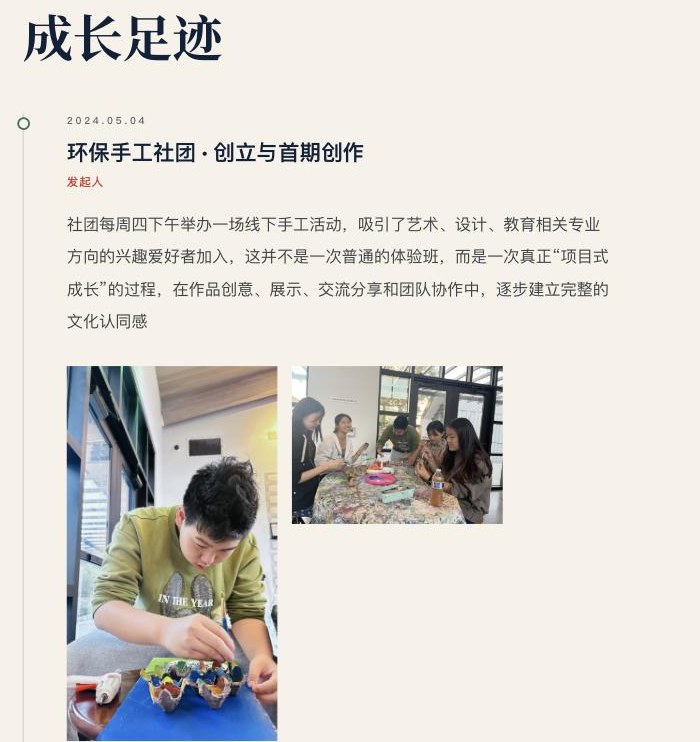
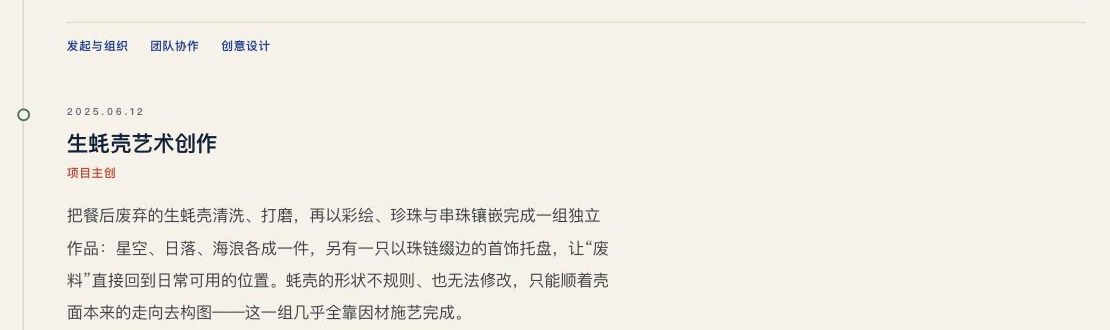
Intake, verification and news
Four roles, one form each, all writing to the same collection: students and parents, schools and training centers, volunteers, and sponsors. Certificates carry a unique number anyone can verify online, which turns a paper credential into an evidence chain for school and funding applications. News is split into the center’s own reporting and reposted external links, because one is read on site and the other takes you away.
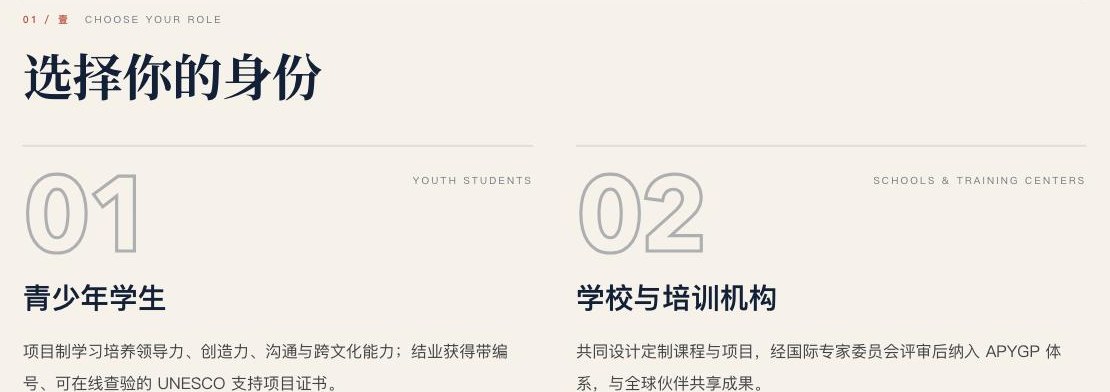
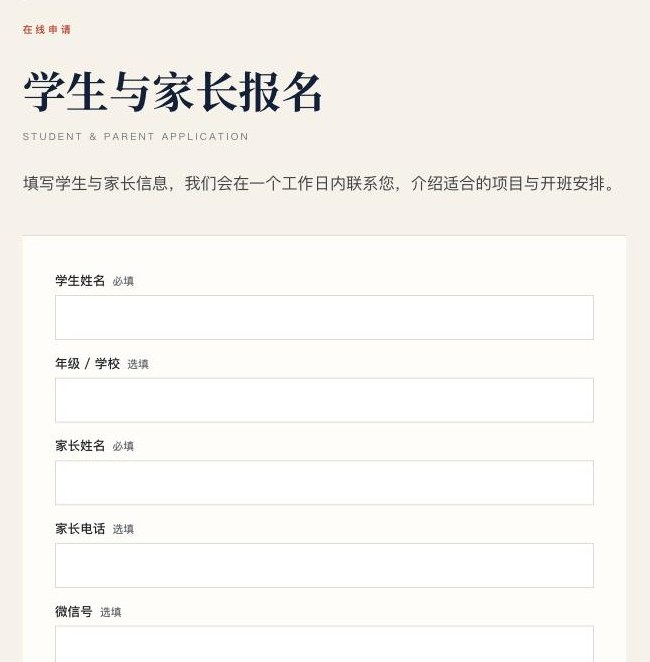

The assessment funnel
A standalone app on Cloud Run, linked from every WeChat article and from the website’s vermillion band. Twelve situational questions score five persona types adapted from RIASEC. The persona is revealed before the contact step, so the reader has already received something before being asked for a name. The full report card carries a five-axis strength chart, a recommended direction, one recommended program with a deep link to the website, and a QR code for sharing.
Leads land in Firestore with the visitor’s identifier, so a later application on the website joins the same record.
-
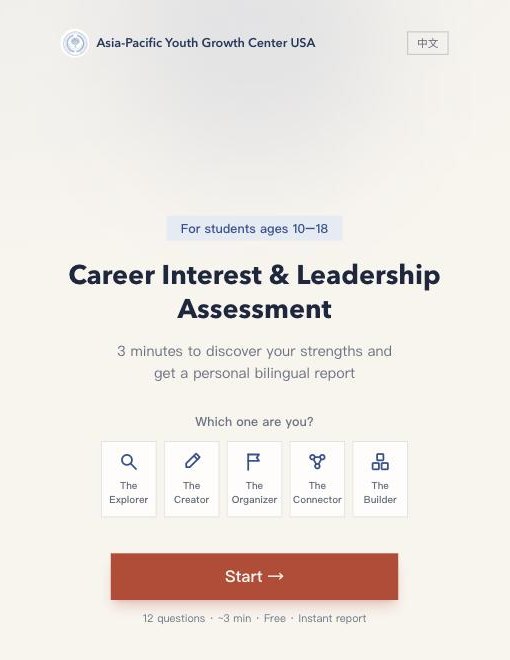
Landing
Which one are you?
-
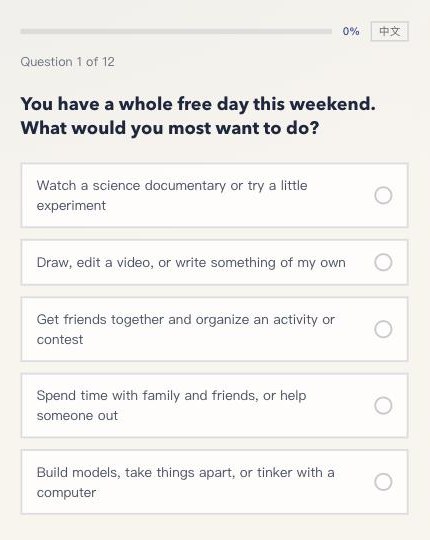
Question
One tap, then it advances on its own.
-
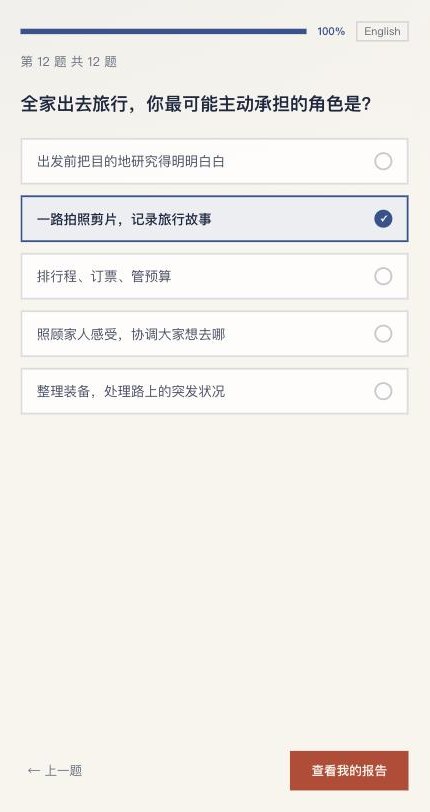
Last question
Waits for confirmation.
-
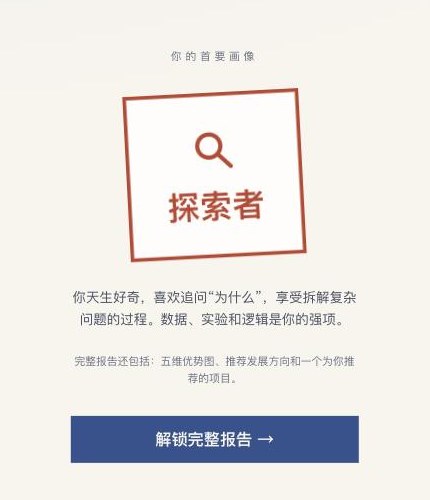
Persona reveal
Value before the ask.
-
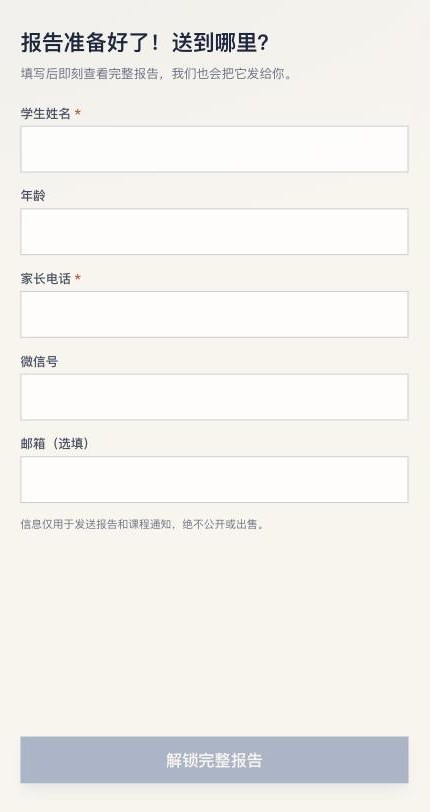
Contact
Then the full report card.
The back office
A password-protected admin with a resizable sidebar and eight entries. It is where a small staff runs a large platform: exports, click analytics, article and story lifecycles, a photo library, and two AI writing tools that turn pasted notes and chosen photos into pages that already obey the content model.
Applications, leads and clicks
CSV export of applications, a contact list de-duplicated by email with phones attached, and a cursor-paginated click stream that includes article reads, all keyed to the same first-party visitor cookie.
Articles, stories, news and photos
Draft, publish, withdraw and delete for every piece; bilingual title and standfirst editing; and a content-addressed photo library where uploads are downsampled in the browser and captioned on arrival.
Article and story composer
Paste text, pick photos, and receive a typed article or a bilingual student portfolio that passes strict server-side validation, with one automatic repair round and a draft saved every turn. The preview is the real page.
Newsletter composer
A chat that produces Mailchimp-ready email HTML from five email-safe templates, with its own image pipeline. It runs on the center’s own API key, so the usage is theirs to see.
Edit the live page in place
Admins change wording block by block on article pages, edit story fields side by side in both languages, and add, remove or reorder photos in galleries, figures, covers and contact sheets. A revision is written before every save.
Printed materials that keep working
A QR generator for posters and flyers. When the site moved to its own domain, the old host became a permanent redirect, so every printed code still resolves.
Back-office screens are not reproduced here because they contain the center’s applicant data.
Editorial, square-cornered, four unequal voices
The site had to read as an institution, not a startup, to Chinese-speaking parents and to American partner organisations at the same time. The second design pass rebuilt it as an editorial system: hairlines instead of shadows, square corners, numbered sections with an off-language annotation, one signature line motif, and a colour system in which the four colours are deliberately not equal.
Colour
| Colour | Value | Role |
|---|---|---|
| Ink | #10213A | Authority. Headlines, closing band, footer. |
| Cobalt | #2754C5 | Links and pathways. Anything that goes somewhere. |
| Pine | #35705A | Growth. Roughly fifteen percent of the system, with its wash and line tints. |
| Vermillion | #C9402D | Action only. A few percent of any screen. |
| Amber | #F0BE3D | Reserved for the hover disc behind a link chevron. A warm dot always means “clickable”. |
| Paper | #F6F1E9 | Ground. Warm, never white. |
Typography
Display in Noto Serif SC, body in a humanist sans, and a spaced mono for kickers and numerals. The serif was a reversal: an earlier no-serif decision was overturned once the client’s institutional register became clear. Contrast was audited to 4.5:1 across every pairing.
Bilingual masthead
The other language is always present in small type beneath the primary one. Titles, standfirsts, kickers and dates carry both; bodies do not, and never through machine translation.


Section apparatus
Every numbered section opens with a hairline, a mono index in vermillion paired with its Chinese numeral, an off-language label, and a serif title. It is the same device on every page, so the site reads as one publication.
The line motif
Curved path lines cross the hero, draw themselves through the three-step “how to start”, and appear as the one decorative element. They stand for pathways, which is what the center does.
Photography as evidence
307 client photographs were reviewed and 169 kept, then cropped to a policy: mastheads no harder than 21:9, standalone figures keep their own proportions, and contact sheets drop to natural-ratio columns when a set stops being uniformly landscape.



Small enough to run, serious enough to trust
A nonprofit with one director and no engineer needs infrastructure that costs little, breaks rarely, and belongs to it. The stack is deliberately plain.
Firestore, server-side only
Ten collections in the center’s own Google Cloud project. Rules deny public client access, and every read and write goes through the apps. Nested arrays are packed on the way in and unpacked on the way out, so writers never fight the database.
Cloud Run and a virtual machine
The assessment app is a container on Cloud Run. The website runs as a systemd service behind nginx, deployed by one script that builds locally, uploads, switches releases and health-checks before it reports success.
Cutover with nothing lost
A static IP reserved in advance, a server block created before DNS moved, TLS issued on arrival, mail records untouched, and the old host kept as a permanent redirect for printed materials.
Audit gate on every deploy
Both apps run current Next.js and React and refuse to deploy unless a dependency audit passes. Secrets live in environment files on the server, never in the repository.
First-party tracking, one year, no vendors
A single first-party cookie identifies a visitor across the website and the assessment app. There is no analytics vendor and no third-party script, and the data stays in the center’s database.
Everything is theirs
The domain registrar account, cloud project, billing, database, source repository and AI API key are in the center’s name. Cyphia holds access, not ownership, and can be removed in an afternoon.
Coding wasn’t the goal. Transformation was.
The center still does what it did in June: runs programs, writes about them, answers parents. The difference is that each of those now leaves a record, produces a name, and builds toward a verifiable result. If your organization runs on scattered forms, spreadsheets and inboxes and you would like it to run on one platform instead, start a conversation.