
The whole network in a pocket: Kindness Network for iPhone
Kindness Network already ran on a platform we built at meetkindness.org. What its community lacked was an app on the phone: a place to find the next event in two taps, RSVP, keep the pass in Apple Wallet, and hear the moment a waitlist spot opens. In September 2026 we built one from the same codebase and submitted it to the App Store.
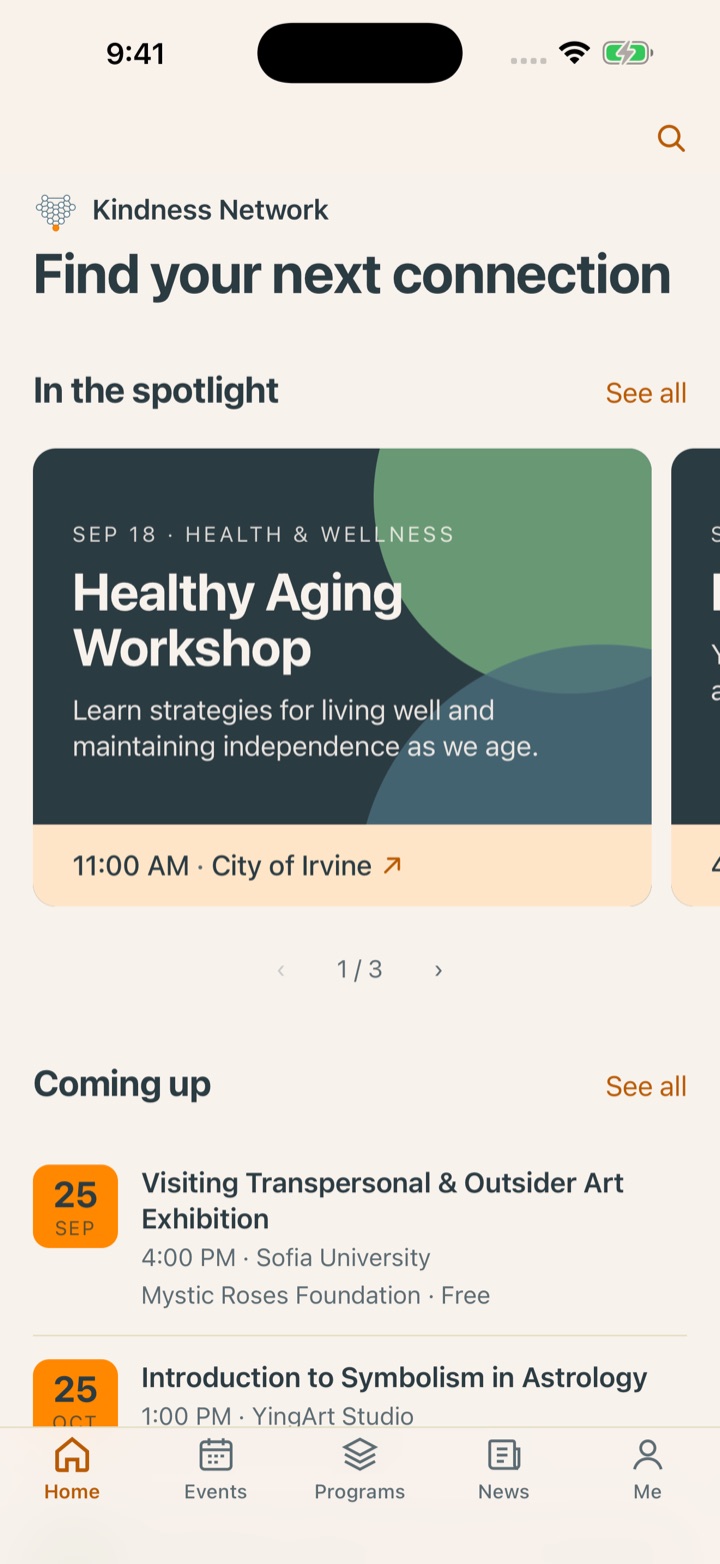
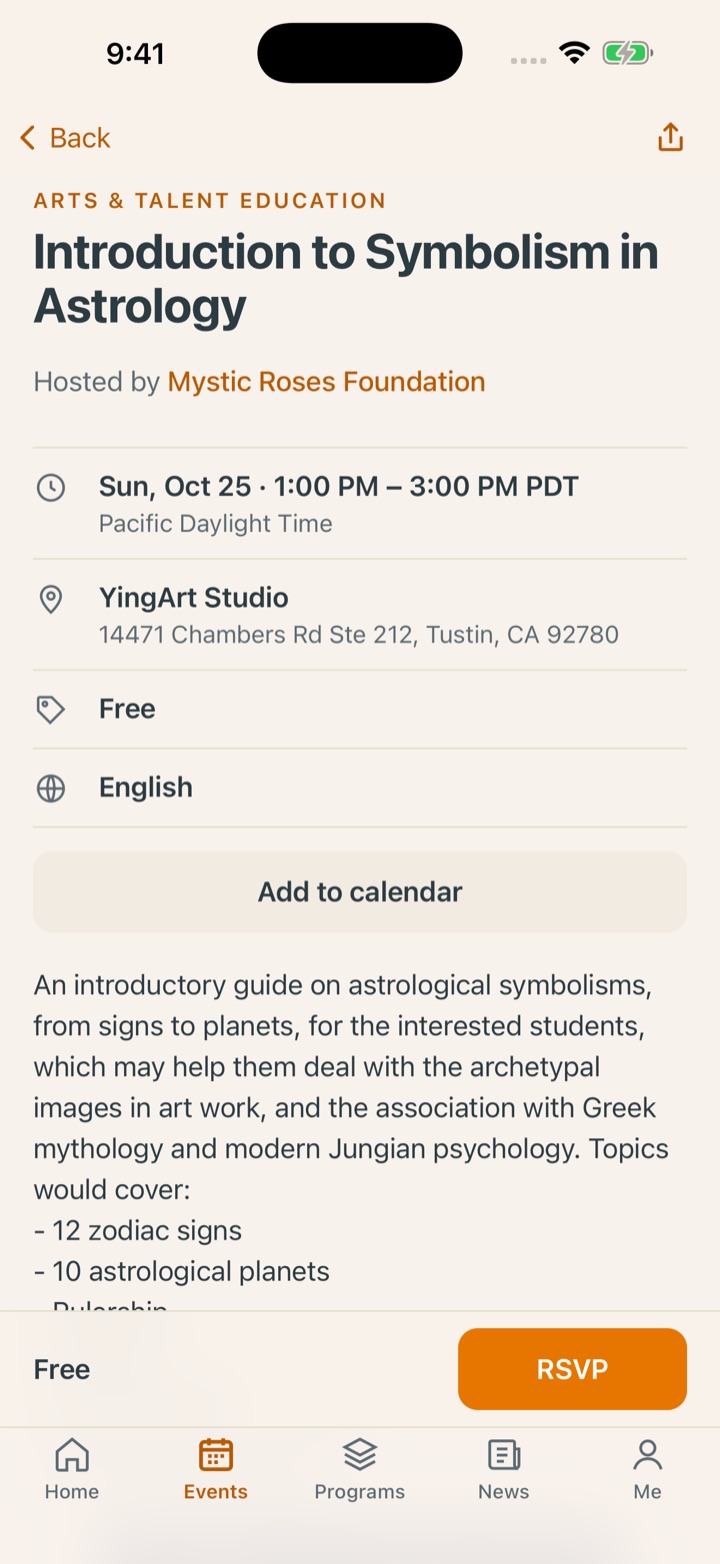
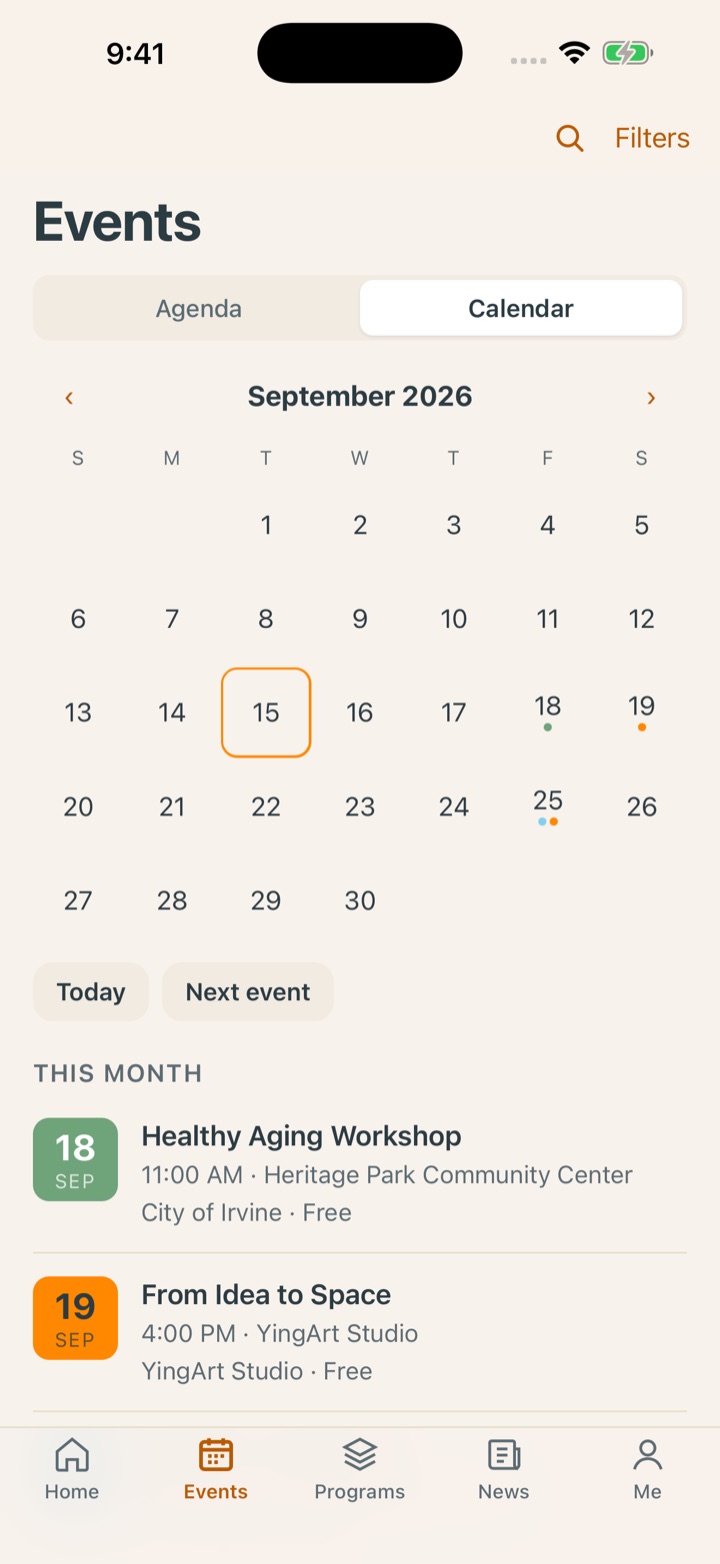
The engagement
| Client | Kindness Network, a community wellness network in Irvine and Orange County, California, with 19 partner organizations publishing programs and events on one platform |
|---|---|
| Platform | meetkindness.org, built by Cyphia Solutions in 2026 and featured by the City of Irvine |
| The app | Kindness Network for iPhone, version 1.0. Free, no advertising, no in-app purchases. Submitted to the App Store on September 15, 2026 and in App Review as of this writing. |
| Delivered | A native iOS app sharing its data layer, rules and cloud functions with the website; a mobile presentation layer designed for the phone; Sign in with Apple and Google; push notifications; Apple Wallet passes |
| Role | Architect, designer and builder, from the mobile design handoff to the App Store submission |
Why an app, when the website already worked
The website does everything the app does. The app does three things the website cannot.
Popular events at Kindness Network fill up, and the waitlist is first come, first served. An email about an opening arrives minutes late and is read hours late. A push notification arrives on the lock screen the moment a seat frees up, and that is the difference between getting in and not.
An event pass belongs in Apple Wallet, next to the boarding passes and the concert tickets, not in an email attachment. The website could mint the pass, but only Safari knew what to do with it. In the app, Wallet opens directly.
And an organization that a city points its residents to should be findable where residents look first: the App Store, with an icon on the home screen. A browser bookmark is not a presence.
Everything else stayed the same on purpose. Browsing needs no account, partners keep publishing through the website’s admin, and the app shows the same events, programs, partners and news the site does, the moment they are published.
Five tabs, one question each
The website has a long home page because it introduces the organization. The app skips the introduction. Each tab answers one question a person actually has on a phone.
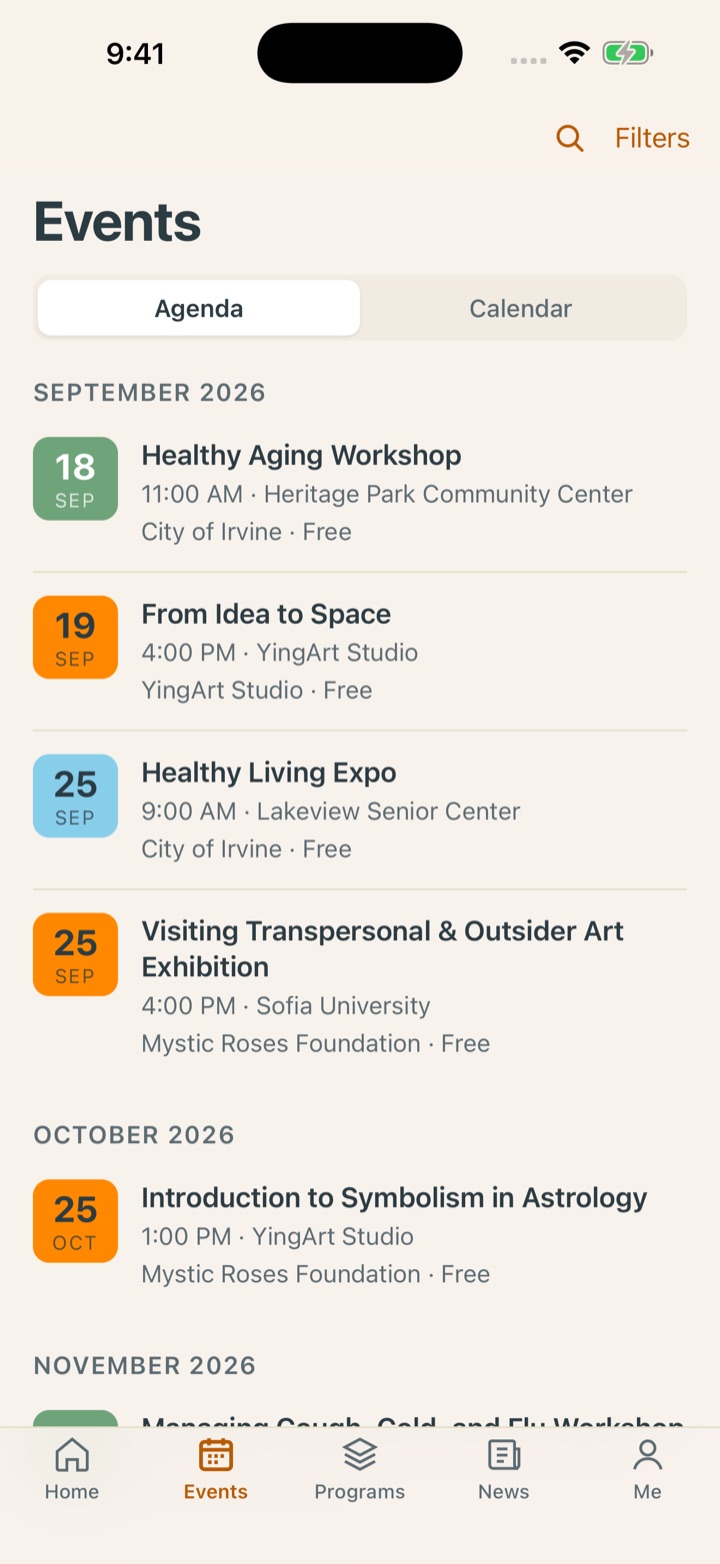
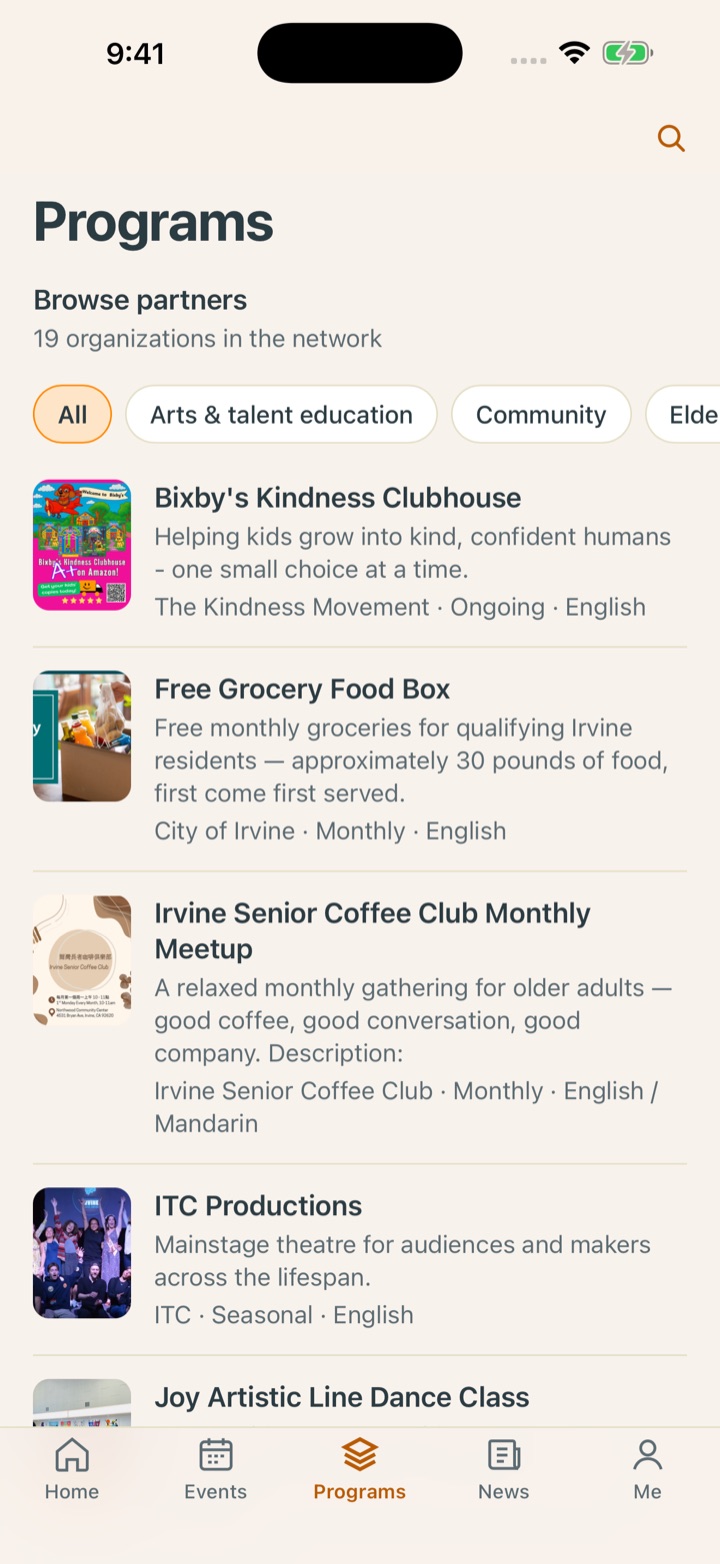
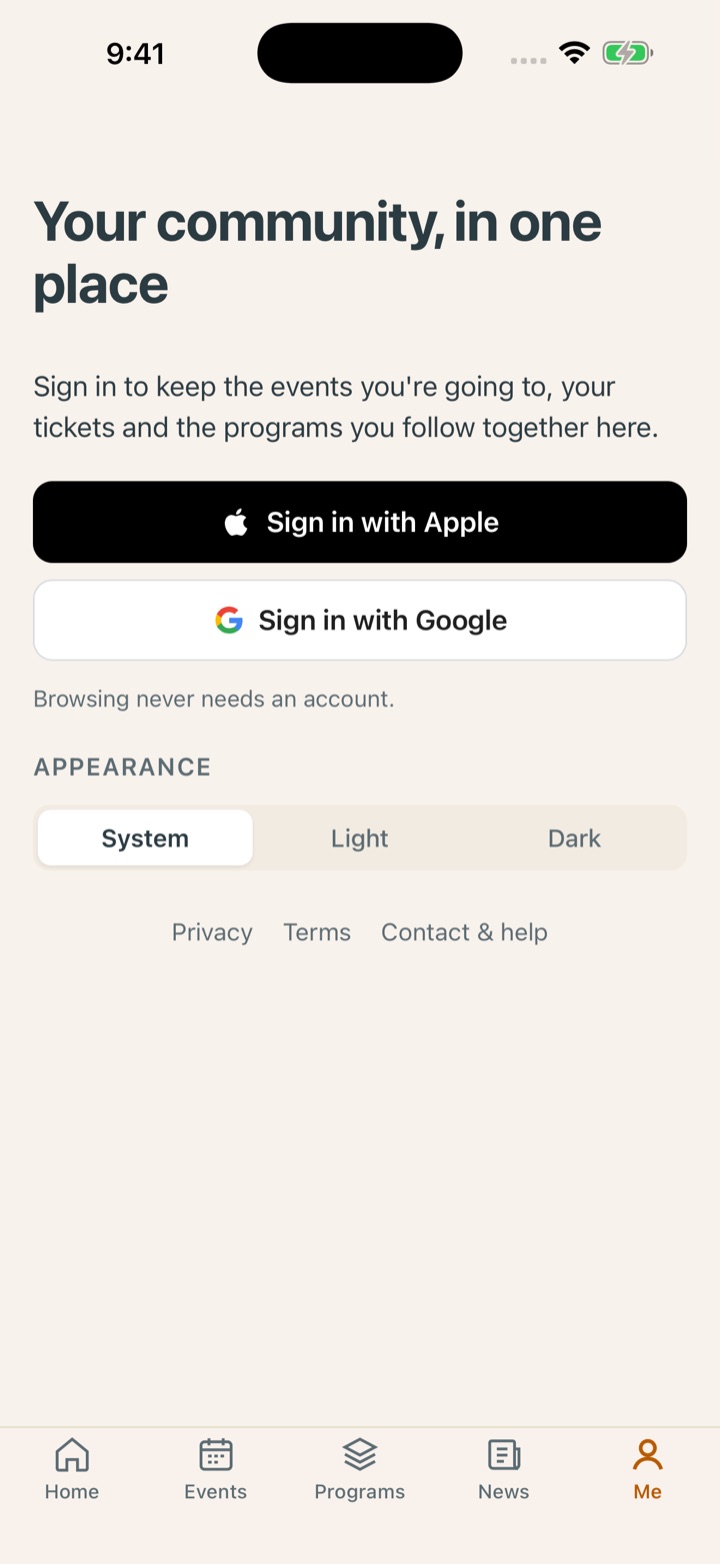
One codebase, two presentations
The app is the website’s own code inside a native shell, with a screen layer built for the phone.
Three routes were on the table: a progressive web app, a rewrite in a native framework, or a native shell around the code that already runs meetkindness.org. A web app cannot deliver reliable push on iOS and has no App Store presence. A rewrite would have spent months rebuilding screens that already worked. The native shell keeps about 95 percent of the code shared and adds the handful of native capabilities the app is for.
What is shared is everything under the surface: the data layer, the security rules, the cloud functions that handle RSVPs, waitlists and passes, and the sign-in and notification plumbing. What is new is the presentation: five tabs with their own navigation stacks, screens laid out for a phone held in one hand rather than a browser window, and native sheets for RSVP, sign-in and consent.
A first pass proved the shell worked but felt like a website in a frame. The second pass gave the app its own design, written up first as a handoff document and then built screen by screen. That is the reason the app reads as an app.
| Route | Code shared with the site | Push on iOS | App Store |
|---|---|---|---|
| Progressive web app | All of it | Unreliable | No |
| Native rewrite | Little | Yes | Yes |
| Native shell, chosen | About 95 percent | Yes | Yes |
What the phone adds
Each native capability was added because a person needed it, not because the platform offered it.
Sign in with Apple or Google
The native sign-in sheets, with the same accounts people already use on the website. There is no email-and-password account type, so there is nothing to forget. Sign-in is asked for only at the moment an action needs it, and the action resumes once you are in.
Notifications you choose
Push is opt-in, offered after an RSVP or from Me, with a switch per topic: waitlist openings, changes to events you are going to, and news from programs you follow. The same cloud functions that send the emails now send the pushes, so nothing is announced twice or in two different words.
Your pass in Apple Wallet
Confirm an RSVP and the event pass is one tap from Wallet, through a small native plugin written for the app. The pass updates itself if the event changes, and disappears if you cancel.
Calendar, share and links
Every event exports to the phone’s calendar and shares through the native sheet. Links to meetkindness.org events, programs, partners and news open inside the app when it is installed, so a link in a group chat lands on the right screen.
Light, dark, and readable
Appearance follows the system or is set by hand. Text scales with the phone’s text size, VoiceOver focus moves to each new screen, and Reduce Motion is honoured throughout. A branded launch screen in both modes, and an offline notice when the network drops.
An account you can delete
Delete account lives in Me and takes a typed confirmation. It removes the account, its RSVPs, waitlist entries, follows and notification tokens, and revokes the Apple sign-in token, as the App Store requires and as people deserve.
Put your platform on the phone
If your organization already runs on a platform we built, or on one you own, tell us what your members would open it for on a phone. We’ll tell you what an app would add and what it would not.